Scooter Gang Controls
PC and mobile riding inputs, camera habits, and settings checks after every patch.
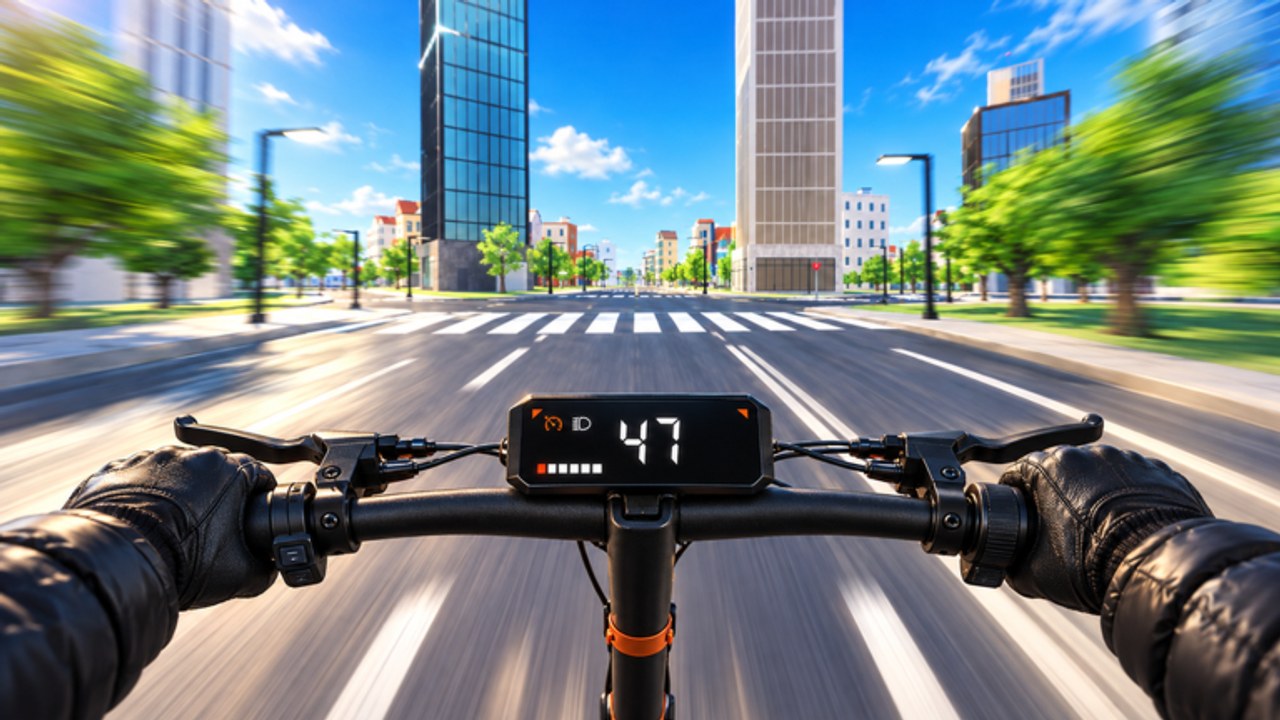
Clean inputs separate a stylish Scooter Gang rider from a sidewalk hazard. This page is a practical controls overview for PC and mobile: movement, camera, trick attempts, delivery UI flow, and the habit of rechecking in-game settings whenever a patch ships. Community clips disagree on exact wheelie binds — treat this guide as a map of common patterns, then confirm your live menu before a grind session.
If you are brand new, pair this page with Getting Started and redeem Codes before obsessing over advanced trick macros.
First rule: trust the in-game settings menu
Scooter Gang [ALPHA] still iterates. Developers have shipped skate-park tools, paint-every-part systems, Gang announcements, cheaper first rides, and a police helicopter with searchlight. Input prompts can shift. Before you blame the scooter:
- Open Settings from the in-game menu
- Find movement, camera, and trick / wheelie bindings
- Note whether keyboard, mouse, gamepad, or touch is active
- Fix conflicts (two actions on one key) before riding into traffic
- Do a ten-second parking-lot test after every Updates patch
Wiki pages and YouTube overlays lag behind hotfixes. Your settings screen does not.
PC controls — common patterns
Most keyboard players steer Scooter Gang like a standard Roblox vehicle / character hybrid:
| Action | Common PC pattern | Notes |
|---|---|---|
| Move / steer | WASD | Smooth taps > slamming keys into props |
| Camera | Mouse movement | Keep intersections visible early |
| Sprint / push speed context | Shift (varies) | Some builds use Shift differently — verify |
| Wheelie / trick hold | Shift or Ctrl (reports vary) | Confirm in settings; do not trust one viral short |
| Interact / UI confirm | E or on-screen button | Used around shops, codes, deliveries |
| Menu / codes HUD | Top icon + mouse click | Codes icon sits at the top for redeem flow |
Because wheelie binds vary in community reports, this wiki will not pretend there is a single permanent key. If Shift currently boosts and Ctrl wheelies on your build — or the reverse — write it down. Consistency beats meme advice.
PC camera habits that prevent crashes
- Look through the turn, not at your front wheel
- Raise sensitivity slightly if you miss alley entrances during escapes
- Lower sensitivity if flips make you over-steer into rails at the skate park
- Zoom out enough to see searchlight cones and ground units when heat rises
PC practice routine (five minutes)
- Hold a straight line without tapping random trick keys
- Perform five intentional wheelies with clean landings
- Take a left-right alley pair at moderate speed
- Open Codes menu and close it without moving — UI focus matters mid-delivery
Mobile controls — thumbs and facades
Mobile riders use on-screen sticks and buttons. Challenges differ:
- Thumb occlusion hides exits — place the camera with short flicks before big turns
- Touch latency makes early wheelie holds harder; prefer shorter pulls until stable
- UI buttons for Codes, deliveries, and shop can steal taps during chases — pause in cover before menu diving
- Gyroscope (if enabled on your device / Roblox settings) can help camera, but disable it if it drifts mid-wheelie
Mobile tips that actually help
- Play in landscape with a stable grip; claw only if you already have the muscle memory
- Reduce graphics load if frame dips throw off grind timing
- Practice at the skate park before downtown 20-player chaos
- For pizza jobs, accept the order, put both thumbs back on movement, then ride — do not menu-browse while rolling
Deliveries, codes, and shop UI flow
Economic UI is part of “controls” because mistaps cost Cash time:
- Codes: top Codes icon → ENTER CODE → type ALL CAPS → REDEEM (details on Codes)
- Pizza: accept job → HUD marker → complete drop → re-queue quickly for money loops
- Tune shop: motor, battery, wheelie bars before paint-every-part browsing
- Gang UI: icons and announcements covered on Players — open them while stationary
Never enter long code strings while the helicopter searchlight is on you. Pull into cover first.
Tricks input philosophy
Advanced moves — no-hands, leg wrap, 360s, flips, grinds — should be intentional. Mashy inputs create the myth that “wheelies are random.” Follow the Wheelie Guide:
- One bind action per attempt while learning
- Bars upgrade before long street sessions
- Park reps before traffic reps
- Abort early if nose pitch feels wrong
If a script offers Wheelie Assist, remember ban risk on the Scripts hub. Learning manual timing survives patches; assists often do not.
Controller / gamepad players
Some riders prefer controllers on PC or console-style Roblox setups. General advice:
- Remap so brake/wheelie are not easy misclicks on the same sticky shoulder
- Use gentle stick deflection for balance instead of slamming to maximum tilt
- Confirm camera invert settings before a leaderboard km night
Exact glyphs differ by platform — again, settings menu wins.
Controls under police pressure
When sirens or rotors start:
- Stop attempting new tricks mid-bind
- Both hands (or thumbs) back on pure locomotion
- Camera up for alley entrances and cover density
- Make the opposite-turn pair described in Escape the Cops
- Open no menus until vision breaks
Your mechanical skill ceiling is the cleaner of: park wheelie mastery, or chase routing under stress. Train both.
After patches — a 60-second audit
Whenever Updates mention police, skate park, or riding feel:
- Recheck wheelie bind
- Recheck camera sensitivity
- Do one park wheelie and one alley cut
- Start your money session only after both feel normal
This audit prevents the classic “I forgot they rebound tricks” wipe that deletes a weekend 1.5x stack.
Related pages
- Getting Started — first-hour order of operations
- Wheelie Guide — apply binds to balance drills
- Escape the Cops — inputs during helicopter heat
- Make Money — keep UI flow fast between jobs
- Tier List — hardware once inputs are clean
- Codes — redeem without fat-finger mistakes
- Guides Hub — full tutorial list
Frequently Asked Questions
Quick answers to the most common questions.
What are the Scooter Gang controls on PC?
Most players move with WASD and steer the camera with the mouse. Wheelie binds commonly involve Shift or Ctrl depending on the build — confirm the exact key in the in-game settings menu.
How do I wheelie on mobile in Scooter Gang?
Use the on-screen trick / wheelie control shown in your HUD, practice short holds at the skate park, and avoid menu taps while the scooter is moving.
Why do YouTube videos show different wheelie keys?
Community reports vary across patches and devices. Always verify your live Settings page instead of copying an old overlay.
Should I change camera sensitivity?
Yes if you miss alley entrances during chases or over-steer during flips. Raise sensitivity for awareness or lower it for fine skate-park control.
When should I recheck controls?
After every major update, especially notes that mention riding feel, skate park changes, or police helicopter behaviour.